
1. What Are Custom Instructions?
Custom Instructions enable users to define nuanced scheduling logic using natural language. Examples include:
- “Don't schedule Fridays unless it's the only time available.”
- “Always prefer mornings for internal meetings.”
- “If I tell you to offer times starting at a future date, never offer times before that date.”
These instructions function as supplemental logic layered atop your configured availability. They influence how Skej proposes and negotiates times, but do not replace core settings.
2. How Custom Instructions Work
Custom Instructions:
- Are global (apply to all scheduling interactions)
- Are evaluated every time Skej processes a request
- Add behavioral guidance to scheduling decisions
They do not:
- Override hard availability constraints
- Modify buffers, caps, or scheduling windows directly
- Permanently alter your system settings
- Automatically scope themselves to specific contacts
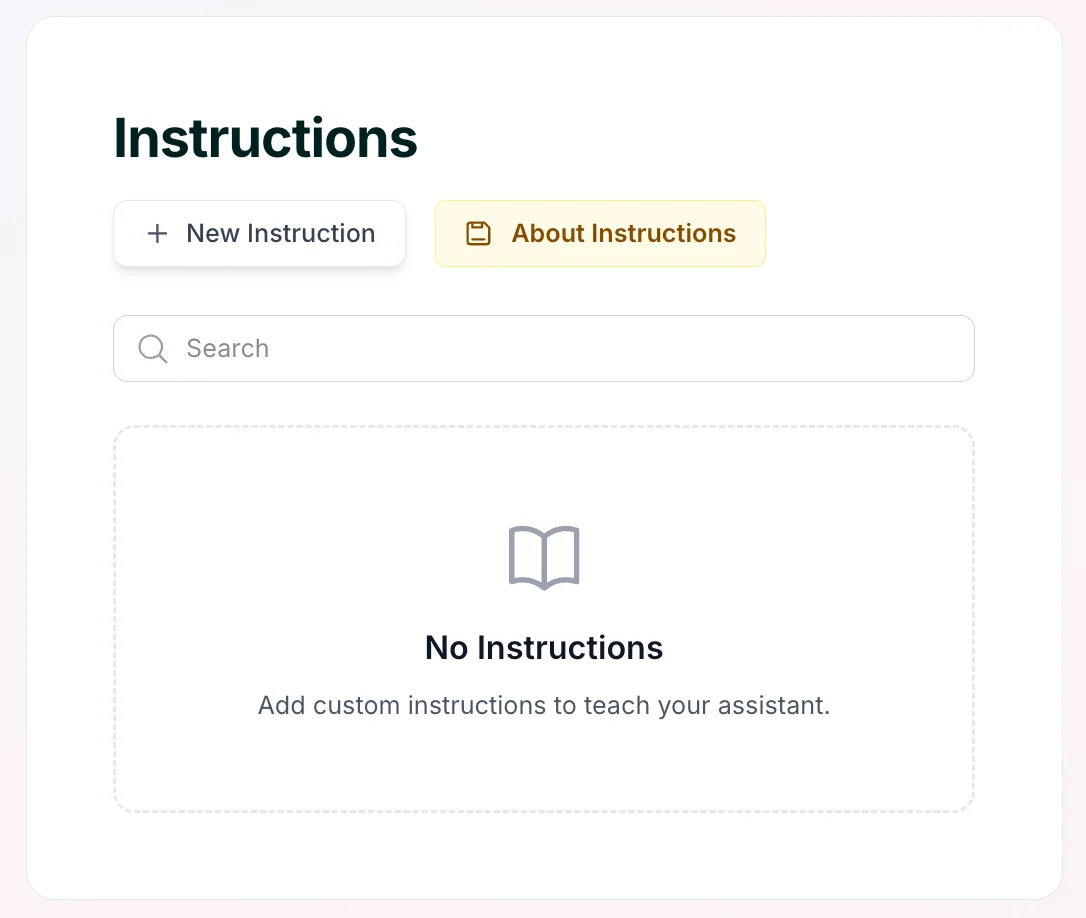
Users can access Instructions via the dashboard by clicking Instructions in the left sidebar or visiting the dedicated link when logged in.
3. Temporary (Date-Bound) Instructions
Skej supports Temporary Instructions that apply only during a defined time window. Example: “I'm traveling to London the first two weeks of March. Only book me on London time.”
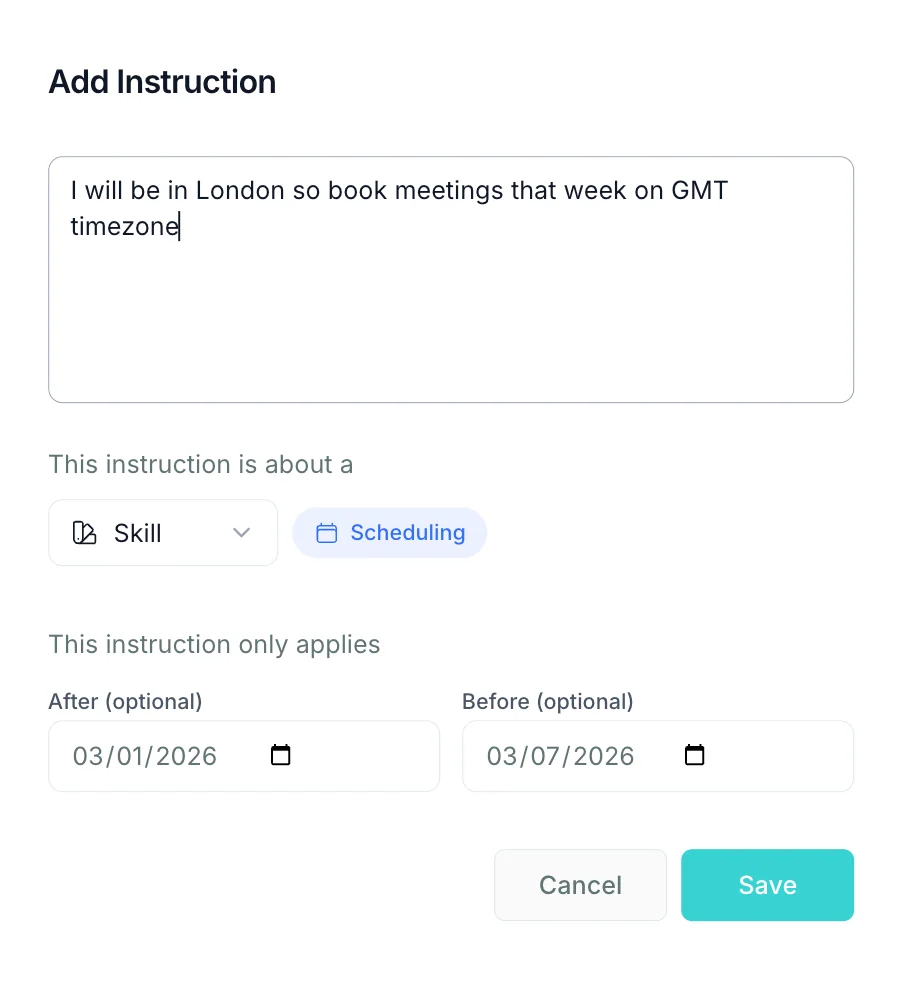
When creating a temporary instruction, users can:
- Select a start date
- Select an end date
- Define behavior that applies only within that range
Once the date window expires, the instruction automatically stops applying.
Ideal use cases:
- Travel
- Temporary schedule shifts
- Event-heavy periods
- Seasonal availability adjustments
4. Contact-Specific Instructions
Avoid including instructions that reference specific people, such as:
- “Always prioritize John.”
- “Never offer late afternoons to Sarah.”
Important: Custom Instructions are evaluated globally—not automatically scoped to a single contact. This means the logic applies to every meeting, and overlapping person-specific rules can create unpredictable behavior.
Best practice: Keep Custom Instructions general.
5. How Custom Instructions Interact With Core Settings
Core settings define structural availability boundaries:
- Buffers
- Meeting caps
- Scheduling windows
- Time-of-day rules
- Minimum notice requirements
Custom and Temporary Instructions operate as behavioral guidance layered atop these rules. Generally:
- Core settings define what is allowed
- Custom instructions influence how Skej chooses within what is allowed
Example: If your scheduling window ends at 5pm, a custom instruction cannot extend it to 7pm. If multiple slots are available, instructions can influence which are preferred.
Avoid Conflicting Logic
Conflicts occur when:
- An instruction contradicts a core setting
- Multiple custom instructions overlap
- A temporary instruction conflicts with a global one
Best practice:
- Keep core settings clean and structural
- Use custom instructions for preference guidance, not structural overrides
- Avoid layering multiple contradicting rules
6. Important Considerations
Because Custom Instructions are open-ended and expressive:
- They are not pre-structured toggles
- They may not behave perfectly on the first attempt
- Edge cases can occur depending on phrasing
- Conflicting instructions may reduce predictability
Custom Instructions should be treated as evolving logic.
7. Recommended Workflow
When adding or modifying a Custom or Temporary Instruction:
- Keep wording clear and specific
- Avoid stacking too many layered rules
- Run a simple test scheduling request
- Confirm behavior matches expectations
- Refine wording if needed
Small adjustments in phrasing can materially change behavior.
8. Design Philosophy
Skej operates within defined system boundaries. Custom Instructions expand flexibility without compromising predictability, visibility, enterprise safety, or configuration control. They enable advanced personalization while preserving stable system behavior.
Summary
Custom Instructions provide expressive scheduling control, while Temporary Instructions allow date-bound flexibility. Used thoughtfully, they significantly increase Skej's intelligence and adaptability — without introducing hidden configuration changes.