Skej

Cancel Subscription

How to cancel your paid subscription

You can cancel your paid subscription anytime from your Skej dashboard.

  1. Head to Plans in your Skej dashboard to see your current plan.
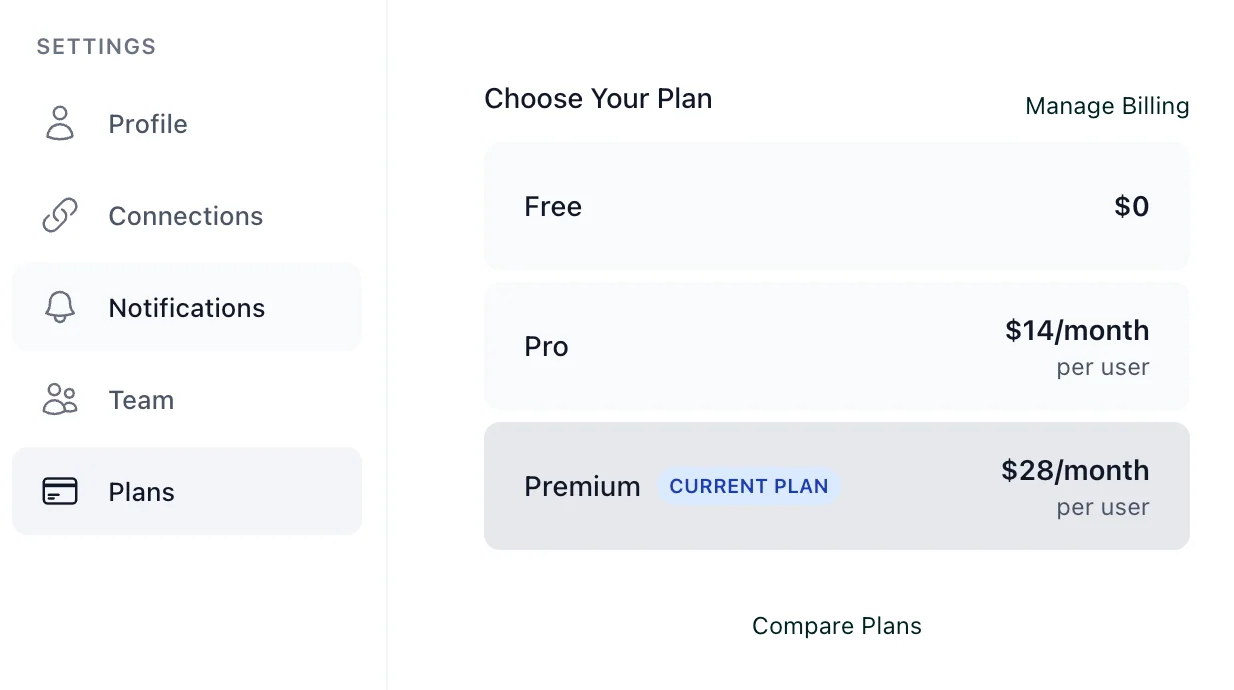
    The Plans page in Skej settings showing the Free, Pro, and Premium plans, with the current plan highlighted and a Manage Billing link in the top right.
  2. Click Manage Billing to open your subscription page.
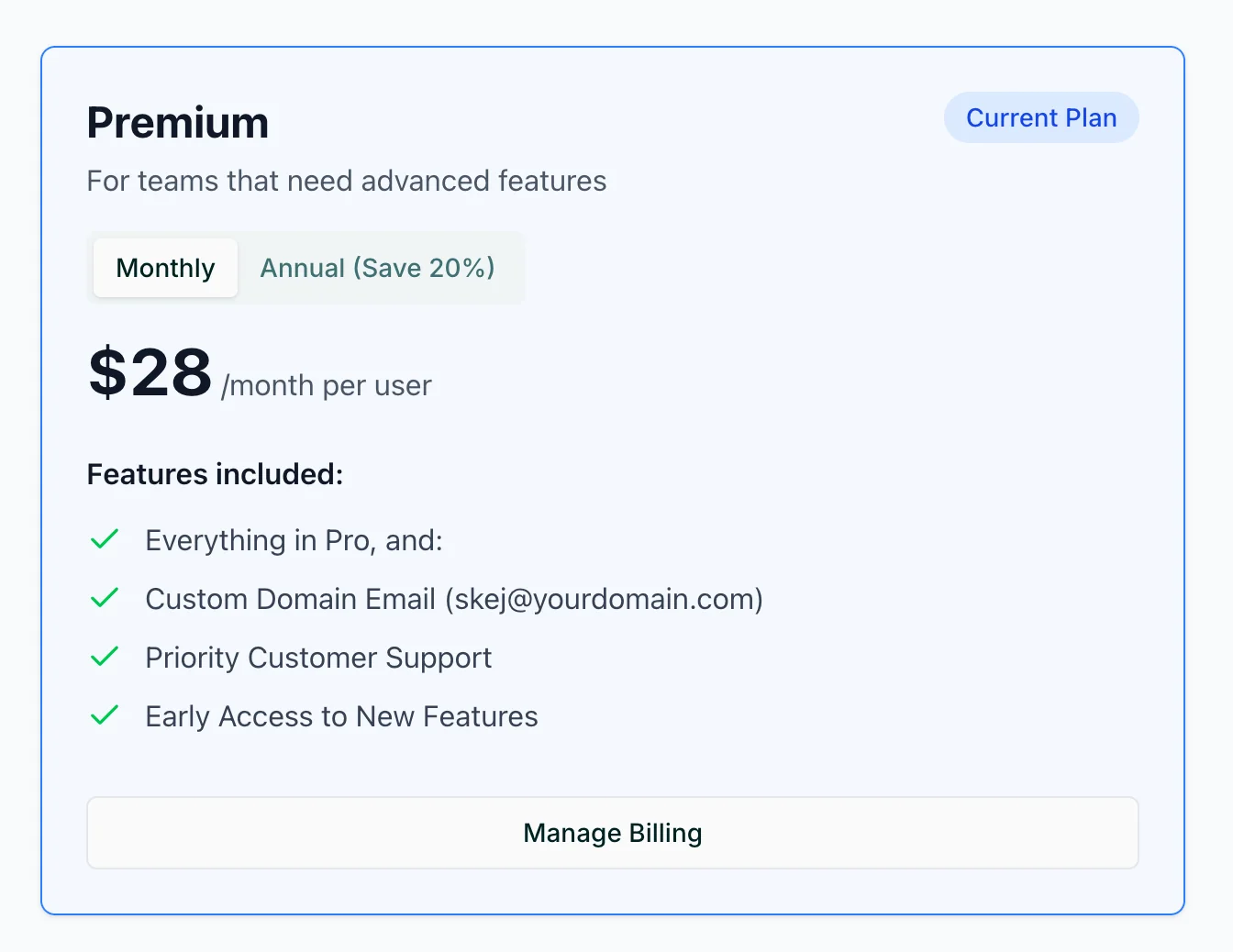
    The Premium plan card showing the plan details and a Manage Billing button at the bottom.
  3. Click Cancel subscription and confirm your selection.
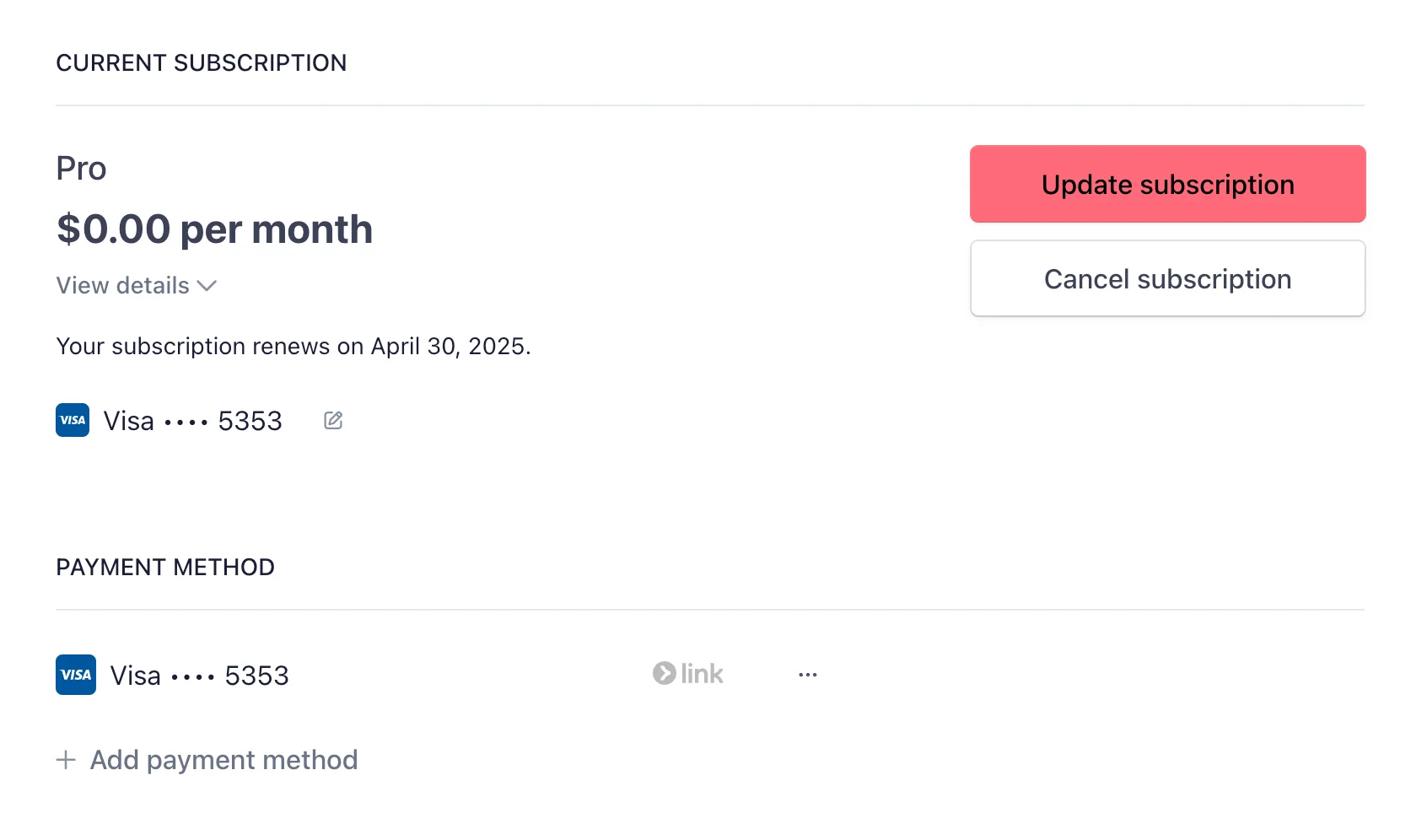
    The current subscription page showing the Update subscription and Cancel subscription buttons alongside your payment method.

What happens next

Your paid subscription stays active until the end of your current term. After that it terminates automatically, and your account is moved back to the free plan.