
Skej
Assistants
Product
Solutions
For Teams
Switch from Calendly
Pricing
← Back to Blog
Your AI Scheduling Assistant, Now Available in Whatsapp

Your AI Scheduling Assistant, Now Available in Whatsapp

The Skej Team•2025-09-22

Ever wish you had an assistant to help you throughout your day and keep you organized? Tell you what's on your schedule, handle the scheduling back-and-forth, put focus time on your calendar, and let you do work that matters?

Now you have one. Skej gives you the power of an amazing personal scheduling assistant, for less than the price of two lattes. And now, your Skej assistant is available on WhatsApp.

Why this matters

Most scheduling tools force you to bend around their workflow. You’re learning a new calendar set up, inputting preferences into multiple dashboards, and filling out forms.

You know what works even better? "I say it, and it happens".

How Skej works

The setup is quick:

  • Connect your calendar and email accounts, your phone number, and basic preferences
  • That's it. Choose your assistant, Skej links everything together, and you're off to the races.

There’s no new app to learn. You already know how to send a messages to other people, so you’re ready to go.

What it feels like to use

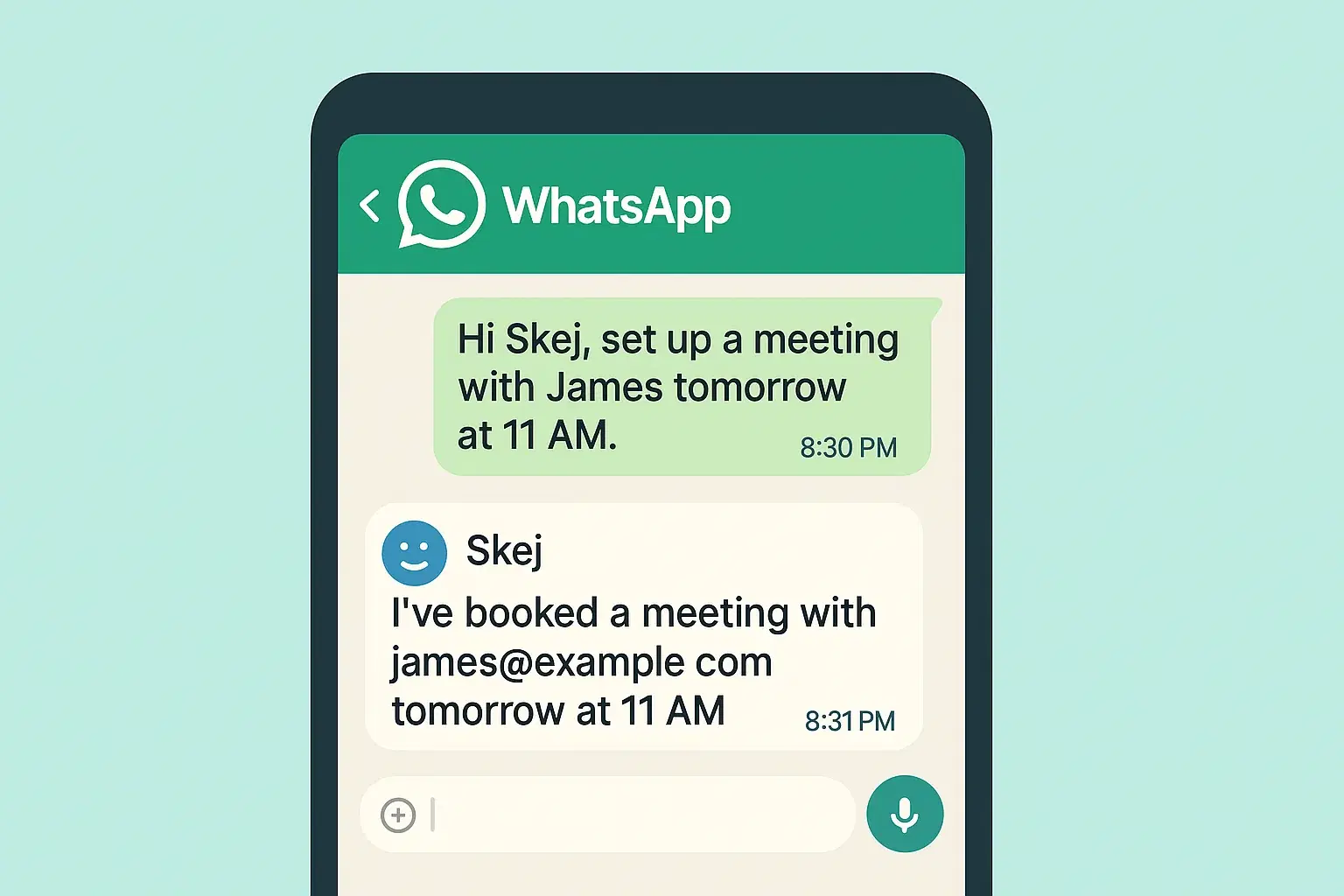
You’re about to start work and want to protect your afternoon. You send Skej a message over WhatsApp:

“Hey Skej, block a slot in my calendar from 2-4pm for deep work.”

The event is sitting in your calendar, synced across devices, and you didn’t leave WhatsApp.

"Skej – can you cancel my 3pm meeting?"

Skej emails everyone in the 3pm meeting, letting them know it's cancelled.

"Schedule a meeting with Zander Masser tomorrow morning

Skej emails Zander, coordinates the back and forth, and gets the meeting on the books.

The upside of seamless AI scheduling

The real benefit is how natural it feels. You’re not switching tabs or breaking your flow. You don’t have to remember another command panel or hunt through settings. You just say what you want (you can even send a voice memo), and Skej, your AI assistant takes care of it.

A calendar that listens

If you’re already on WhatsApp all day, Skej slides right into that rhythm. It makes your calendar feel less like a system you have to manage and more like something that quietly adapts to what you need.

Get started with your Skej assistant today. It's ready for you.

Product

Email AssistantBooking LinkTextingSlack & TeamsFollow-UpsAdd to CalendarSmart Options

Solutions

For InvestorsFor FoundersFor SalesFor RecruitersSwitch from Calendly

For Teams

Internal MeetingsSlack & TeamsSecurity & ComplianceIT Admin ControlsCustom Assistants

Company

CompanyUpdatesBlogSimon BaumerContact

Resources

PricingFAQTermsPrivacyTrust Center

Get Started

Product

Email AssistantBooking LinkTextingSlack & TeamsFollow-UpsAdd to CalendarSmart Options

Solutions

For InvestorsFor FoundersFor SalesFor RecruitersSwitch from Calendly

For Teams

Internal MeetingsSlack & TeamsSecurity & ComplianceIT Admin ControlsCustom Assistants

Company

CompanyUpdatesBlogSimon BaumerContact

Resources

PricingFAQTermsPrivacyTrust Center

Get Started

Designed by 3Gen Internet Corporation in New York

Skej
Assistants
Product
Solutions
For Teams
Switch from Calendly
Pricing
← Back to Blog
Your AI Scheduling Assistant, Now Available in Whatsapp

Your AI Scheduling Assistant, Now Available in Whatsapp

The Skej Team•2025-09-22

Ever wish you had an assistant to help you throughout your day and keep you organized? Tell you what's on your schedule, handle the scheduling back-and-forth, put focus time on your calendar, and let you do work that matters?

Now you have one. Skej gives you the power of an amazing personal scheduling assistant, for less than the price of two lattes. And now, your Skej assistant is available on WhatsApp.

Why this matters

Most scheduling tools force you to bend around their workflow. You’re learning a new calendar set up, inputting preferences into multiple dashboards, and filling out forms.

You know what works even better? "I say it, and it happens".

How Skej works

The setup is quick:

  • Connect your calendar and email accounts, your phone number, and basic preferences
  • That's it. Choose your assistant, Skej links everything together, and you're off to the races.

There’s no new app to learn. You already know how to send a messages to other people, so you’re ready to go.

What it feels like to use

You’re about to start work and want to protect your afternoon. You send Skej a message over WhatsApp:

“Hey Skej, block a slot in my calendar from 2-4pm for deep work.”

The event is sitting in your calendar, synced across devices, and you didn’t leave WhatsApp.

"Skej – can you cancel my 3pm meeting?"

Skej emails everyone in the 3pm meeting, letting them know it's cancelled.

"Schedule a meeting with Zander Masser tomorrow morning

Skej emails Zander, coordinates the back and forth, and gets the meeting on the books.

The upside of seamless AI scheduling

The real benefit is how natural it feels. You’re not switching tabs or breaking your flow. You don’t have to remember another command panel or hunt through settings. You just say what you want (you can even send a voice memo), and Skej, your AI assistant takes care of it.

A calendar that listens

If you’re already on WhatsApp all day, Skej slides right into that rhythm. It makes your calendar feel less like a system you have to manage and more like something that quietly adapts to what you need.

Get started with your Skej assistant today. It's ready for you.

Product

Email AssistantBooking LinkTextingSlack & TeamsFollow-UpsAdd to CalendarSmart Options

Solutions

For InvestorsFor FoundersFor SalesFor RecruitersSwitch from Calendly

For Teams

Internal MeetingsSlack & TeamsSecurity & ComplianceIT Admin ControlsCustom Assistants

Company

CompanyUpdatesBlogSimon BaumerContact

Resources

PricingFAQTermsPrivacyTrust Center

Get Started

Product

Email AssistantBooking LinkTextingSlack & TeamsFollow-UpsAdd to CalendarSmart Options

Solutions

For InvestorsFor FoundersFor SalesFor RecruitersSwitch from Calendly

For Teams

Internal MeetingsSlack & TeamsSecurity & ComplianceIT Admin ControlsCustom Assistants

Company

CompanyUpdatesBlogSimon BaumerContact

Resources

PricingFAQTermsPrivacyTrust Center

Get Started

Designed by 3Gen Internet Corporation in New York