
Skej
Assistants
Product
Solutions
For Teams
Switch from Calendly
Pricing
← Back to Blog
How to Schedule Meetings Without Sending a Calendly Link

How to Schedule Meetings Without Sending a Calendly Link

The Skej Team•2025-05-02

You've probably seen it a hundred times:

"Here's my Calendly — grab a time that works for you."

Scheduling links have become incredibly common. Tools like Calendly make it easy to share your availability and let someone book time on your calendar.

But while scheduling links can be convenient, they don't always land well — especially in more personal or high-stakes conversations.

If you're emailing a client, investor, candidate, or executive, dropping a scheduling link can sometimes feel a little impersonal.

And yet the alternative — manually checking your calendar and typing out a list of available times — is tedious.

So what's the better option?

Increasingly, professionals are turning to AI scheduling assistants that can share availability automatically and coordinate meetings directly inside email conversations.

Why Scheduling Links Aren't Always Ideal

Scheduling links work well in many situations, especially when meetings are transactional.

For example:

  • booking product demos
  • scheduling customer support calls
  • setting up quick 1:1 introductions

But in higher-touch scenarios, scheduling links can create subtle friction.

Consider situations like:

  • reaching out to a potential investor
  • coordinating with a busy executive
  • scheduling interviews with top candidates
  • following up on a warm introduction

In these cases, sending a link can feel like you're pushing the scheduling work onto the other person.

Instead of coordinating the meeting together, you're asking them to do the work of choosing a time.

A Different Approach: AI Scheduling Assistants

Rather than sending booking links, newer tools are beginning to automate scheduling directly inside conversations.

An AI scheduling assistant can read the email thread, check your calendar, and propose available times automatically.

This removes the need for scheduling links or manual coordination.

Instead of saying:

"Here's my calendar — pick a time."

You can simply loop in an assistant that handles the scheduling for you.

How Skej Replaces Scheduling Links

Skej is an AI scheduling assistant that works directly inside your email threads.

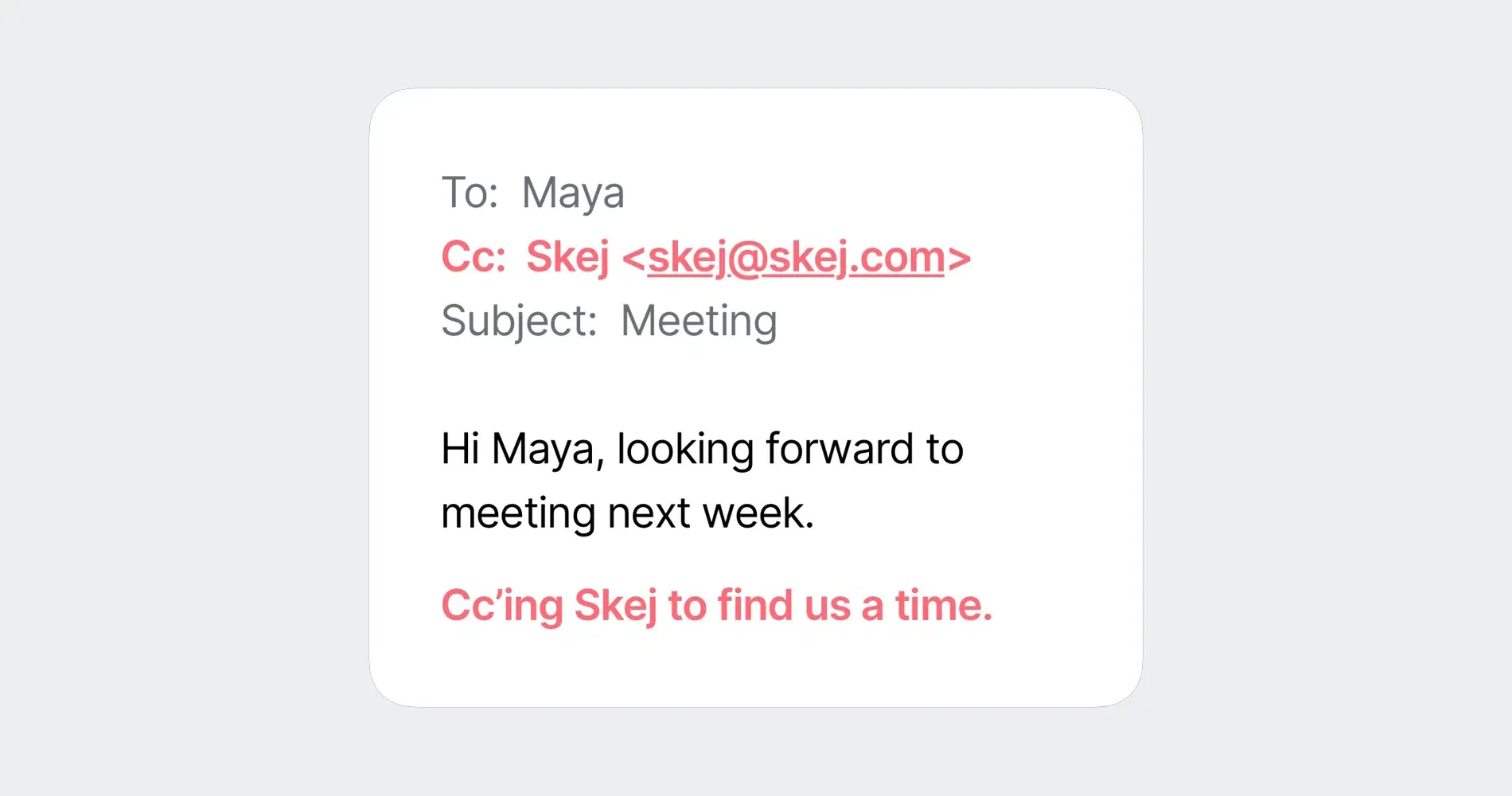
When you CC your Skej assistant on a conversation, it automatically:

  • checks your calendar availability
  • considers your scheduling preferences
  • proposes meeting times in natural language
  • coordinates with everyone in the thread
  • confirms the meeting and sends calendar invites

The entire process happens conversationally in email.

No booking links. No portals. No separate scheduling apps.

When Skej Works Better Than Scheduling Links

Skej is especially useful in situations where tone and responsiveness matter.

For example:

Investor outreach

A VC replies to your email asking if you're available tomorrow. Skej can immediately propose available times and confirm the meeting.

Recruiting

A candidate says they're free next week. Skej checks your calendar and the hiring manager's availability and proposes interview times automatically.

Client meetings

A client suggests a time while you're offline. Skej can confirm the meeting instantly and send the calendar invite.

In each case, scheduling happens naturally within the conversation.

A More Natural Way to Share Availability

Scheduling links solved an important problem — reducing the back-and-forth required to book meetings.

But they also introduced a new friction: they often push the scheduling work onto the other person.

AI scheduling assistants offer a different approach.

Instead of sending links, you simply include an assistant that coordinates the meeting automatically.

The result feels closer to having a real assistant manage your calendar — while still keeping scheduling fast and effortless.

Try Skej Instead of Sending Another Scheduling Link

If you're tired of sending scheduling links or managing long email threads trying to find a time that works, Skej offers a simpler alternative.

Just CC Skej and let it coordinate the meeting automatically.

Product

Email AssistantBooking LinkTextingSlack & TeamsFollow-UpsAdd to CalendarSmart Options

Solutions

For InvestorsFor FoundersFor SalesFor RecruitersSwitch from Calendly

For Teams

Internal MeetingsSlack & TeamsSecurity & ComplianceIT Admin ControlsCustom Assistants

Company

CompanyUpdatesBlogSimon BaumerContact

Resources

PricingFAQTermsPrivacyCookiesTrust Center

Get Started

Product

Email AssistantBooking LinkTextingSlack & TeamsFollow-UpsAdd to CalendarSmart Options

Solutions

For InvestorsFor FoundersFor SalesFor RecruitersSwitch from Calendly

For Teams

Internal MeetingsSlack & TeamsSecurity & ComplianceIT Admin ControlsCustom Assistants

Company

CompanyUpdatesBlogSimon BaumerContact

Resources

PricingFAQTermsPrivacyCookiesTrust Center

Get Started

Designed by 3Gen Internet Corporation in New York

Skej
Assistants
Product
Solutions
For Teams
Switch from Calendly
Pricing
← Back to Blog
How to Schedule Meetings Without Sending a Calendly Link

How to Schedule Meetings Without Sending a Calendly Link

The Skej Team•2025-05-02

You've probably seen it a hundred times:

"Here's my Calendly — grab a time that works for you."

Scheduling links have become incredibly common. Tools like Calendly make it easy to share your availability and let someone book time on your calendar.

But while scheduling links can be convenient, they don't always land well — especially in more personal or high-stakes conversations.

If you're emailing a client, investor, candidate, or executive, dropping a scheduling link can sometimes feel a little impersonal.

And yet the alternative — manually checking your calendar and typing out a list of available times — is tedious.

So what's the better option?

Increasingly, professionals are turning to AI scheduling assistants that can share availability automatically and coordinate meetings directly inside email conversations.

Why Scheduling Links Aren't Always Ideal

Scheduling links work well in many situations, especially when meetings are transactional.

For example:

  • booking product demos
  • scheduling customer support calls
  • setting up quick 1:1 introductions

But in higher-touch scenarios, scheduling links can create subtle friction.

Consider situations like:

  • reaching out to a potential investor
  • coordinating with a busy executive
  • scheduling interviews with top candidates
  • following up on a warm introduction

In these cases, sending a link can feel like you're pushing the scheduling work onto the other person.

Instead of coordinating the meeting together, you're asking them to do the work of choosing a time.

A Different Approach: AI Scheduling Assistants

Rather than sending booking links, newer tools are beginning to automate scheduling directly inside conversations.

An AI scheduling assistant can read the email thread, check your calendar, and propose available times automatically.

This removes the need for scheduling links or manual coordination.

Instead of saying:

"Here's my calendar — pick a time."

You can simply loop in an assistant that handles the scheduling for you.

How Skej Replaces Scheduling Links

Skej is an AI scheduling assistant that works directly inside your email threads.

When you CC your Skej assistant on a conversation, it automatically:

  • checks your calendar availability
  • considers your scheduling preferences
  • proposes meeting times in natural language
  • coordinates with everyone in the thread
  • confirms the meeting and sends calendar invites

The entire process happens conversationally in email.

No booking links. No portals. No separate scheduling apps.

When Skej Works Better Than Scheduling Links

Skej is especially useful in situations where tone and responsiveness matter.

For example:

Investor outreach

A VC replies to your email asking if you're available tomorrow. Skej can immediately propose available times and confirm the meeting.

Recruiting

A candidate says they're free next week. Skej checks your calendar and the hiring manager's availability and proposes interview times automatically.

Client meetings

A client suggests a time while you're offline. Skej can confirm the meeting instantly and send the calendar invite.

In each case, scheduling happens naturally within the conversation.

A More Natural Way to Share Availability

Scheduling links solved an important problem — reducing the back-and-forth required to book meetings.

But they also introduced a new friction: they often push the scheduling work onto the other person.

AI scheduling assistants offer a different approach.

Instead of sending links, you simply include an assistant that coordinates the meeting automatically.

The result feels closer to having a real assistant manage your calendar — while still keeping scheduling fast and effortless.

Try Skej Instead of Sending Another Scheduling Link

If you're tired of sending scheduling links or managing long email threads trying to find a time that works, Skej offers a simpler alternative.

Just CC Skej and let it coordinate the meeting automatically.

Product

Email AssistantBooking LinkTextingSlack & TeamsFollow-UpsAdd to CalendarSmart Options

Solutions

For InvestorsFor FoundersFor SalesFor RecruitersSwitch from Calendly

For Teams

Internal MeetingsSlack & TeamsSecurity & ComplianceIT Admin ControlsCustom Assistants

Company

CompanyUpdatesBlogSimon BaumerContact

Resources

PricingFAQTermsPrivacyCookiesTrust Center

Get Started

Product

Email AssistantBooking LinkTextingSlack & TeamsFollow-UpsAdd to CalendarSmart Options

Solutions

For InvestorsFor FoundersFor SalesFor RecruitersSwitch from Calendly

For Teams

Internal MeetingsSlack & TeamsSecurity & ComplianceIT Admin ControlsCustom Assistants

Company

CompanyUpdatesBlogSimon BaumerContact

Resources

PricingFAQTermsPrivacyCookiesTrust Center

Get Started

Designed by 3Gen Internet Corporation in New York